Outlyr: aus YouTube-Daten wird eine Content-Strategie
Welche Videos funktionieren in einer Nische – und was lässt sich daraus für den nächsten Upload lernen? Outlyr bringt Kanalrecherche, Performance-Daten und KI-Ideen in einem durchgängigen SaaS-Workflow zusammen.
- Produkt
- Outlyr · tryoutlyr.io
- Zielgruppe
- YouTube-Creators, Agenturen und Research-Teams
- Fokus
- Datenbasierte Content-Strategie
- Reichweite
- Über 500 Content Creators erreicht
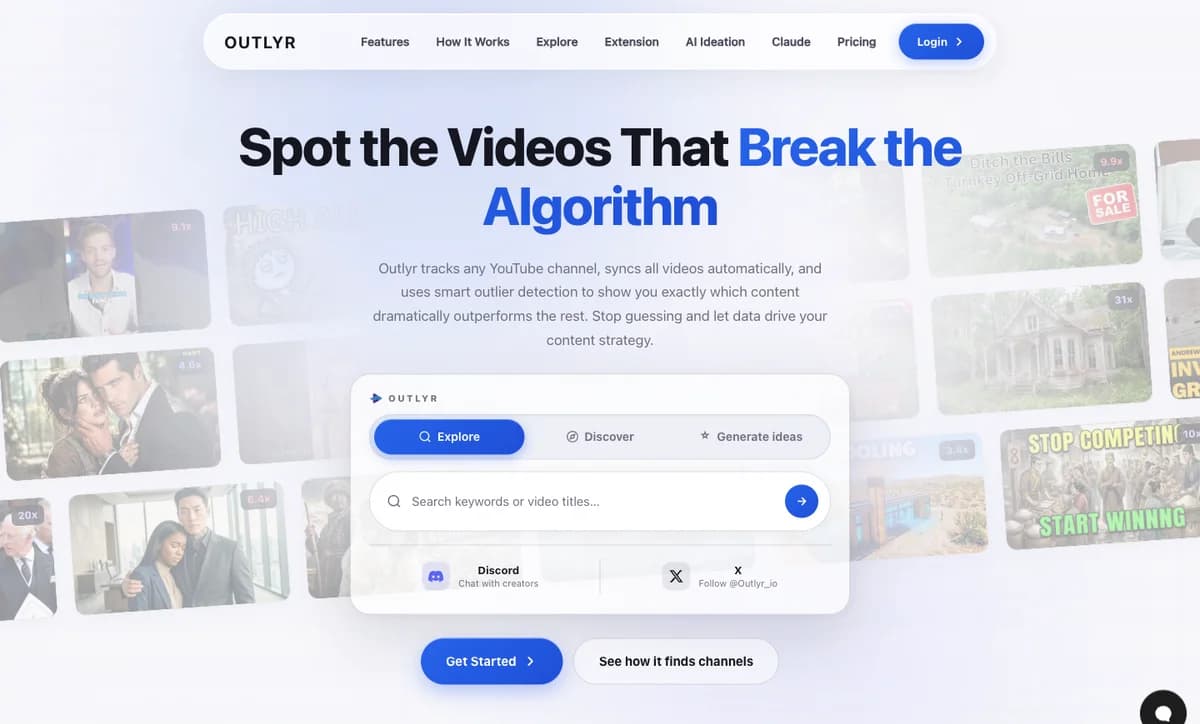
Reichweite und Produkt
Von der Recherche zur nächsten Videoidee
Reichweite
500+
Content Creators erreicht
Bereits über 500 Content Creators mit Outlyr erreicht.
Workflow
4
Schritte von Recherche zu Videoideen
Nische anlegen, Kanäle hinzufügen, Outlier erkennen, Ideen entwickeln.
AI-Assistenten
MCP
Recherche direkt im Gespräch
Outlier-Daten, Transkripte und Nischenstatistiken für unterstützte AI-Assistenten.
Einblicke ins Produkt
Dashboard und Features in Aktion
YouTube-Daten verstehen, erfolgreiche Formate erkennen und daraus die nächste Videoidee entwickeln.
Dashboard
- 38Viral10x and up
- 92Strong5x to 10x
- 264Above avg2x to 5x
- 486Average1x to 2x
- 324Belowunder 1x
 4.2M
4.2M 3.1M
3.1M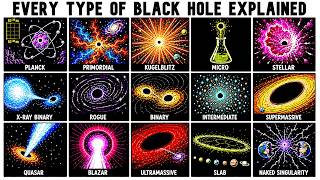 2.8M
2.8M 1.9M
1.9M 1.4M
1.4M 980K9.3x7.1x3.6x
 Bluntly Explained7.7K subscribers42.1x
 Starmus7.9K subscribers23.4x
 susballs130K subscribers18.4x
 Universe Unfold34.2K subscribers9.3x
 SolarBalls2.14M subscribers4.8x
 0.9x
0.9x 1.1x
1.1xOutlier Detection
Our algorithm analyzes every video on a channel and calculates an outlier score based on how it performs relative to the channel's average. A video with a 4.2x score got 4.2 times more views than the channel typically gets. This instantly shows you which content formats, topics, and titles resonate most with audiences. Color-coded badges (from green to purple) make it easy to spot viral hits at a glance.
Background Sync
Once you add a channel, Outlyr automatically fetches all its videos. Syncing happens in the background with live progress tracking, so you can see exactly how many videos have been processed. When new videos are uploaded, they're picked up automatically on the next cycle. No manual work required.


 +9
+9
 +7
+7Niches
Organize your tracked channels into niches by topic, competitor set, or campaign. Create an "Off Grid" niche for the channels you study, or a "Competitors" niche to keep an eye on everyone in your space. Niches let you compare outlier performance across an entire niche at once, giving you a bird's-eye view of what's working across your content landscape.
Smart Filters
Filter by Shorts vs Long-form content, narrow down by date range (last 7 days, 30 days, 90 days, 1 year, or any custom range), sort by views, likes, comments, date, or outlier score. All filtering happens server-side for instant results, even when you're browsing channels with thousands of videos. Search through video titles to find exactly the content you're looking for.
 9.1x
9.1x 5.3x
5.3x 4.2x
4.2x 2.8x
2.8xVideo Dashboard
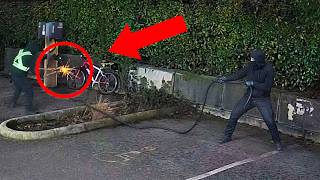
Every channel has its own dashboard with all videos displayed in a clean, browsable grid. Use infinite scroll to load more videos as you go, or switch to a horizontal scroll view. Each video card shows the thumbnail, title, publish date, view count, like count, comment count, and of course the outlier score. Click any video to view detailed stats or open it directly on YouTube.
AI Content Ideation
Turn data into your next viral video. Outlyr's AI analyzes your outlier videos, the ones that actually went viral, and generates fresh content ideas based on proven formats, title patterns, and topics. Instead of brainstorming from scratch, you're building on data from videos that already performed exceptionally well. Each idea includes the source outliers so you understand why it was suggested.
AI Content Ideation
Aus Outlier-Daten werden neue Videoideen
AI Ideation: Strategie auswählen und Videoideen mit Hook und Quellenbezug entwickeln.
Balanced, New Angles und Title Tweaks liefern verschiedene Ansätze für den nächsten Upload.
01
Content-Strategie
Erst die Nische verstehen, dann das nächste Video planen
YouTube-Creators brauchen mehr als eine Liste der meistgesehenen Videos. Entscheidend ist, welche Themen, Titel und Formate im Verhältnis zur üblichen Leistung eines Kanals besonders gut funktionieren. Outlyr macht diese Ausreisser sichtbar und verbindet sie mit der Planung neuer Inhalte.
Der Workflow folgt vier Schritten: Nische anlegen, relevante Kanäle hinzufügen, Outlier erkennen und daraus Videoideen entwickeln. Kanäle lassen sich über Explore, AI Discovery, eine YouTube-URL oder die Chrome-Erweiterung hinzufügen.
02
Daten und Dashboard
Videoleistung im Kontext des jeweiligen Kanals vergleichen
Der Outlier-Score vergleicht die Aufrufe eines Videos mit dem Durchschnitt seines Kanals. Ein Score von 4,2x bedeutet, dass ein Video 4,2-mal so viele Aufrufe wie üblich erreicht hat. So werden erfolgreiche Inhalte auch bei kleineren Kanälen sichtbar.
Nischen bündeln thematisch passende Kanäle. Das Dashboard zeigt Videos, Aufrufe und Outlier-Scores; Filter grenzen die Recherche nach Zeitraum, Shorts oder Long-form ein. Die Hintergrundsynchronisierung hält die erfassten Videodaten aktuell.
- Outlier-Erkennung relativ zum Kanaldurchschnitt
- Nischen für Themen und Wettbewerber
- Filter für Format, Zeitraum und Videoleistung
- Automatische Synchronisierung im Hintergrund
03
KI und Umsetzung
Von erfolgreichen Formaten zu konkreten Videoideen
AI Ideation entwickelt neue Konzepte aus auffälligen Videos einer Nische. Die Strategien Balanced, New Angles und Title Tweaks liefern unterschiedliche Ansätze. Vorschläge enthalten einen Hook, eine Begründung und die Outlier-Videos, auf denen die Idee aufbaut.
Über MCP können unterstützte AI-Assistenten wie Claude auf Outlier-Daten, Transkripte und Nischenstatistiken zugreifen. Die Recherche lässt sich dadurch auch im Gespräch mit einem Assistenten fortsetzen.
Vom Referenzprojekt zum eigenen System
Leistungen hinter der Lösung
Eine SaaS-Idee oder ein eigenes Datenprodukt umsetzen?
Im Erstgespräch bringen wir bestehende Plattformen, Datenquellen und kommerzielle Ziele zusammen. Danach ist klar, welches Glied der Kette zuerst bearbeitet werden sollte.