Outlyr: turning YouTube data into a content strategy
Which videos work in a niche, and what can they teach you about your next upload? Outlyr combines channel research, performance data and AI ideas in one continuous SaaS workflow.
- Product
- Outlyr · tryoutlyr.io
- Audience
- YouTube creators, agencies and research teams
- Focus
- Data-informed content strategy
- Reach
- More than 500 content creators reached
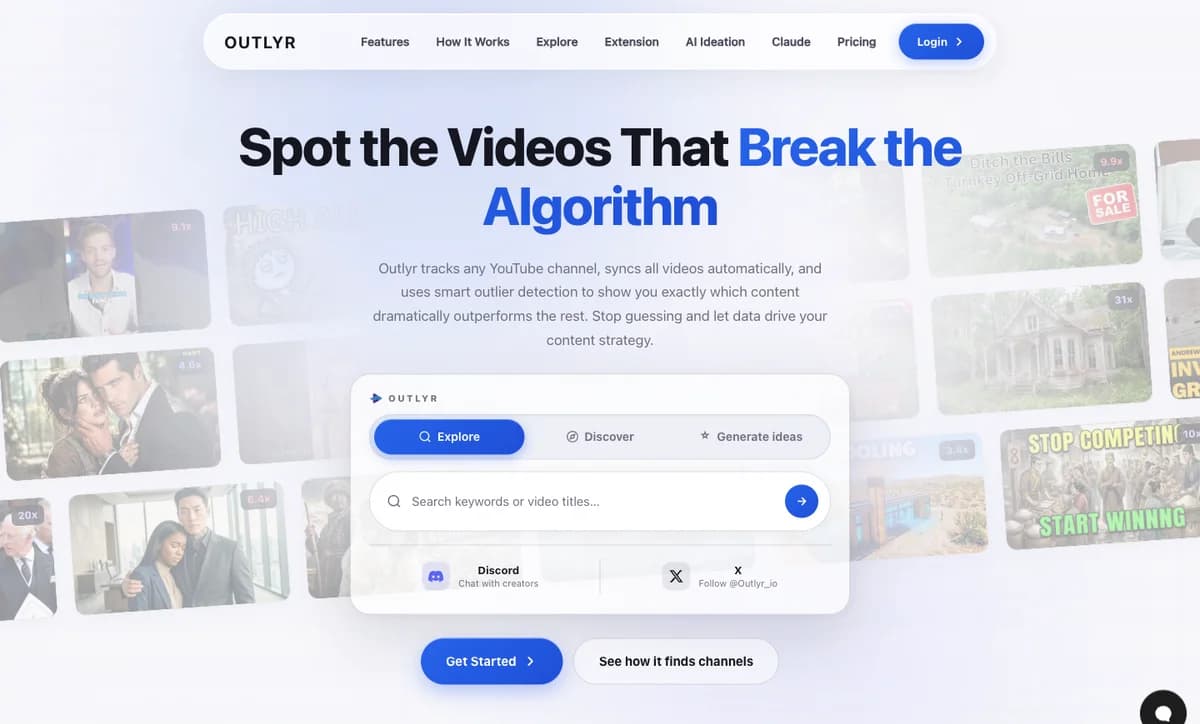
Reach and product
From research to your next video idea
Reach
500+
Content creators reached
Already reached more than 500 content creators with Outlyr.
Workflow
4
Steps from research to video ideas
Create a niche, add channels, spot outliers, develop ideas.
AI assistants
MCP
Research through conversation
Outlier data, transcripts and niche statistics for supported AI assistants.
Inside the product
Dashboard and features in action
Understand YouTube data, spot successful formats and turn them into your next video idea.
Dashboard
- 38Viral10x and up
- 92Strong5x to 10x
- 264Above avg2x to 5x
- 486Average1x to 2x
- 324Belowunder 1x
 4.2M
4.2M 3.1M
3.1M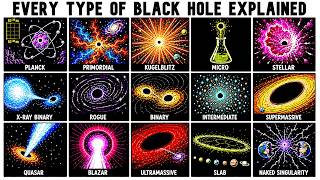 2.8M
2.8M 1.9M
1.9M 1.4M
1.4M 980K9.3x7.1x3.6x
 Bluntly Explained7.7K subscribers42.1x
 Starmus7.9K subscribers23.4x
 susballs130K subscribers18.4x
 Universe Unfold34.2K subscribers9.3x
 SolarBalls2.14M subscribers4.8x
 0.9x
0.9x 1.1x
1.1xOutlier Detection
Our algorithm analyzes every video on a channel and calculates an outlier score based on how it performs relative to the channel's average. A video with a 4.2x score got 4.2 times more views than the channel typically gets. This instantly shows you which content formats, topics, and titles resonate most with audiences. Color-coded badges (from green to purple) make it easy to spot viral hits at a glance.
Background Sync
Once you add a channel, Outlyr automatically fetches all its videos. Syncing happens in the background with live progress tracking, so you can see exactly how many videos have been processed. When new videos are uploaded, they're picked up automatically on the next cycle. No manual work required.


 +9
+9
 +7
+7Niches
Organize your tracked channels into niches by topic, competitor set, or campaign. Create an "Off Grid" niche for the channels you study, or a "Competitors" niche to keep an eye on everyone in your space. Niches let you compare outlier performance across an entire niche at once, giving you a bird's-eye view of what's working across your content landscape.
Smart Filters
Filter by Shorts vs Long-form content, narrow down by date range (last 7 days, 30 days, 90 days, 1 year, or any custom range), sort by views, likes, comments, date, or outlier score. All filtering happens server-side for instant results, even when you're browsing channels with thousands of videos. Search through video titles to find exactly the content you're looking for.
 9.1x
9.1x 5.3x
5.3x 4.2x
4.2x 2.8x
2.8xVideo Dashboard
Every channel has its own dashboard with all videos displayed in a clean, browsable grid. Use infinite scroll to load more videos as you go, or switch to a horizontal scroll view. Each video card shows the thumbnail, title, publish date, view count, like count, comment count, and of course the outlier score. Click any video to view detailed stats or open it directly on YouTube.
AI Content Ideation
Turn data into your next viral video. Outlyr's AI analyzes your outlier videos, the ones that actually went viral, and generates fresh content ideas based on proven formats, title patterns, and topics. Instead of brainstorming from scratch, you're building on data from videos that already performed exceptionally well. Each idea includes the source outliers so you understand why it was suggested.
AI Content Ideation
Turn outlier data into new video ideas
AI Ideation: choose a strategy and develop video ideas with hooks and source references.
Balanced, New Angles and Title Tweaks offer different approaches for your next upload.
01
Content strategy
Understand the niche, then plan your next video
YouTube creators need more than a list of the most watched videos. They need to understand which topics, titles and formats perform particularly well relative to a channel’s usual results. Outlyr highlights these outliers and connects them to content planning.
The workflow has four steps: create a niche, add relevant channels, spot outliers and turn them into video ideas. Channels can be added through Explore, AI Discovery, a YouTube URL or the Chrome extension.
02
Data and dashboard
Compare video performance in the context of each channel
The outlier score compares a video’s views with its channel’s average. A score of 4.2x means a video received 4.2 times as many views as usual. This makes successful content visible even on smaller channels.
Niches group channels by topic. The dashboard shows videos, views and outlier scores, with filters for time range, Shorts and long-form content. Background sync keeps the tracked video data up to date.
- Outlier detection relative to the channel average
- Niches for topics and competitors
- Filters for format, time range and video performance
- Automatic background sync
03
AI and execution
From successful formats to concrete video ideas
AI Ideation develops new concepts from standout videos in a niche. Balanced, New Angles and Title Tweaks offer different approaches. Each suggestion includes a hook, a rationale and the source outlier videos.
MCP lets supported AI assistants such as Claude access outlier data, transcripts and niche statistics. Research can then continue in a conversation with an assistant.
From reference project to your system
Services behind the solution
Ready to build your SaaS idea or data product?
In an initial call, we connect platforms, sources and commercial goals to identify the first link to improve.